FIFINE K669B Review 2027: Better Than a Laptop Mic?
A metal desk microphone on a short tripod that plugs into a computer by USB and works without drivers. It turns a tinny laptop voice into a clear one.
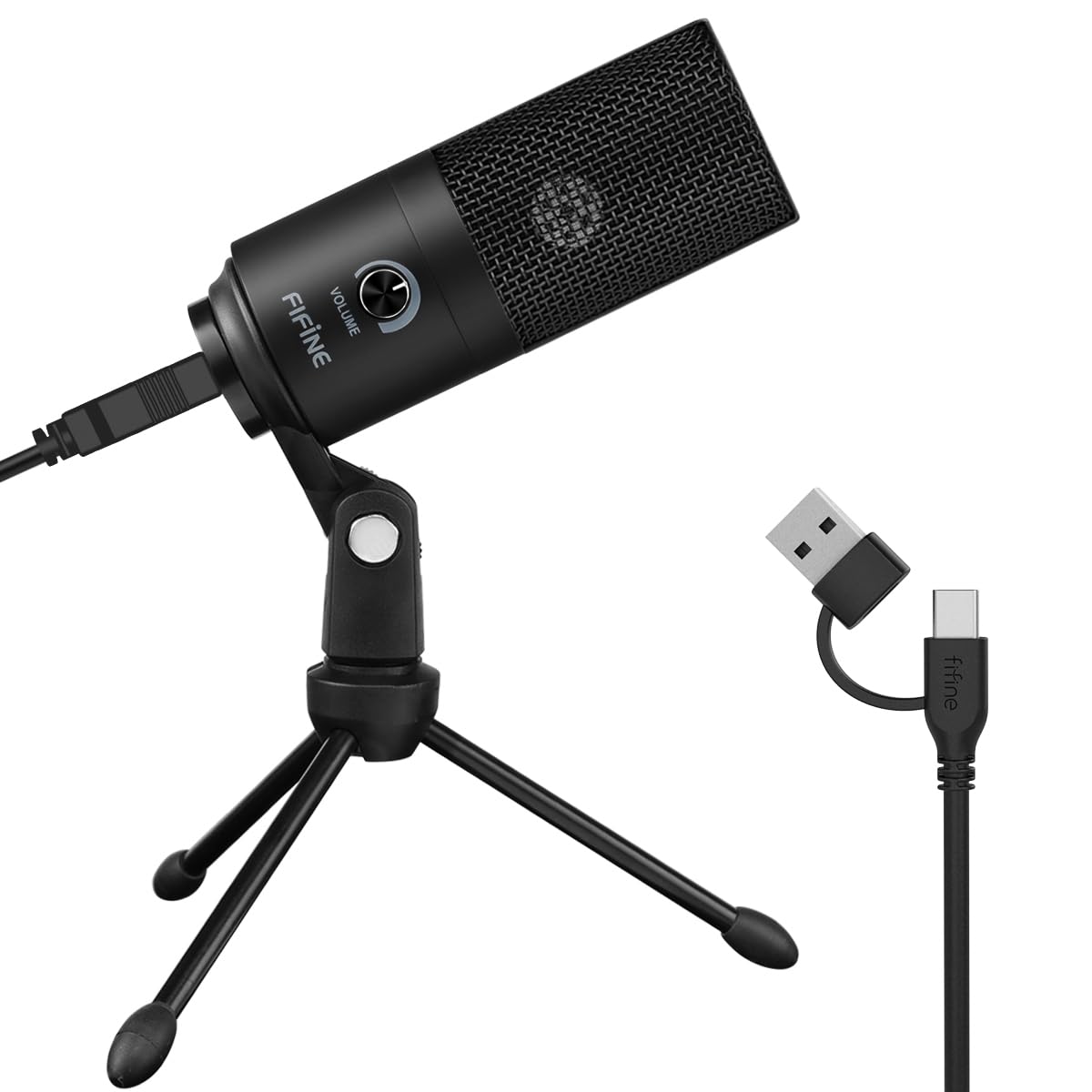
Yes, for anyone who spends the day on video calls or wants to start a podcast or stream. It is plug and play over USB with a cardioid pattern that favors the voice in front of it [1]. Skip it for someone who only records on a phone or an Xbox.
By Andrew Pataleta, GiftX founder · Updated November 17, 2026 · Sources
Specs at a glance
| Type | Cardioid condenser [1] |
| Connection | USB, no phantom power needed [1] |
| Cable | USB-B to USB-A/C [1] |
| Works with | Desktop, laptop, PS4, PS5 [1] |
| Not for | Xbox and phones [1] |
| Body | Metal with tripod stand [1] |
| Controls | Volume knob on the mic [1] |
| In the box | Mic, cable, tripod, manual [1] |
Pros and cons
A clearer voice on the next call
Laptop microphones sit next to the fan and the keyboard and sound like a hallway. The K669B is a cardioid condenser mic that captures the voice in front of it and reduces background noise [1].
It plugs into USB, takes its power from the port and needs no 48 V phantom power or audio box [1]. Plug it in, pick it in the app, talk.
Metal body, tripod and a real knob
The body and the short tripod are metal, so it sits steady on a desk and does not tip when the cable moves [1].
A volume knob on the mic turns the input up or down, and turning it to zero works as a privacy mute [1]. The cable is USB-B on the mic end with a USB-A or USB-C plug on the computer end [1].
The listing names Zoom, Webex, Discord, OBS, Twitch, Teamspeak and Audacity, and it also works with PS4 and PS5 [1].
Two limits to check
The maker is clear that it is not compatible with Xbox or phones [1]. If the person streams from a console, check which one first.
Video call apps that adjust volume automatically can make the level bounce around. The listing says to turn off settings like automatic volume in Zoom [1]. A condenser mic also hears a loud mechanical keyboard, so a little distance helps.
The Secret Santa for remote workers
This is a gift that improves every meeting they join, which is why it suits a team swap so well. It also fits a coworker who has talked about starting a podcast.
From our Secret Santa guide, pair it with the HUANUO monitor stand riser so the screen and the mic sit at a better height, or with the Everlasting Comfort lumbar support pillow for long call days.

Answer five quick questions about the person and GiftX picks gifts for your budget.
New gift ideas every week, a 60 second gift quiz and wish lists your friends can reserve from. Free on iPhone and Android.
FAQ
Does the FIFINE K669B need an audio interface?
No. It is a USB microphone powered by the computer's port, with no 48 V phantom power needed [1], so it skips the audio interface. Plug the included cable into a USB-A or USB-C port and select the mic in your app [1]. That makes it a simple step up from a built-in laptop mic for calls, streams and recording [1]
Can I use the FIFINE K669B with an iPhone or Xbox?
No. The listing says it is not compatible with Xbox and phones [1]. It works with desktops and laptops, including Macs, and with PS4 and PS5 consoles [1]. For a phone podcaster, look for a mic made for mobile; for a PC streamer, this one is a plain and reliable start [1]
Why does my FIFINE mic volume go up and down on Zoom?
Zoom and some other apps adjust the input level automatically. FIFINE says to disable automatic volume adjustment in the app if you do not want the recording level to drop or jump [1]. Then set the level with the knob on the mic itself, which also turns down to zero as a quick mute [1]
Sources and how we checked
- Amazon.com listing for FIFINE K669B USB Microphone, Condenser Recording Mic for Vocals, Meeting, checked November 17, 2026
We did not test this product hands-on. Facts come from the Amazon listing and the maker.
GiftX earns a commission from qualifying purchases through these links, at no extra cost to you.