 GiftX
GiftXA shared wishlist for couples can mean three things: two personal lists for buying each other presents, one household list for gifts you will use together, or a place where both partners collect suggestions. Decide which you need before choosing an app.
Giftster is worth considering for exchanging personal lists within a family group. MyRegistry is a candidate for an event registry, subject to its documented partner-access limitations. GiftX offers personal wishlists and a separate shared-list route. A shared spreadsheet can work for a simple household shortlist when you do not need a dedicated gift-claim workflow.
How we reviewed these options: GiftX makes one of the products discussed. We checked official instructions and GiftX implementation on October 2, 2026, and opened GiftX's public shared-list entry screen. We did not complete a two-user editing or reservation test. The examples below are illustrative, and the comparison does not award performance scores.
Separate a present from a household purchase
Imagine Alex and Sam moving into an apartment. Alex wants drawing materials for a birthday. Sam wants a specific running accessory. Both would like a kitchen scale for the new home. The kitchen scale belongs on their agreed household list; the other requests belong to their respective recipients.
If everything goes into one list called “our gifts,” relatives have to guess. Can they buy any drawing kit? Is the running item a surprise? Does one partner want to approve the scale? Those questions cannot be resolved by an attractive card layout.
| Purpose | Who owns the preference? | What sharing needs to do |
|---|---|---|
| Birthday gift for Alex | Alex | Let Sam and relatives shop without changing Alex's request |
| Birthday gift for Sam | Sam | Keep personal preferences and surprise details separate |
| Housewarming kitchen scale | Both partners | Collect suggestions, agree on one version, then coordinate the purchase |
Our separate-lists versus one-list guide explains how to maintain both purposes without making relatives learn your whole household system.
Giftster for exchanging personal wishes
Giftster documents groups whose members can view one another's lists. That supports the model where each partner maintains personal preferences and the family shops them. It does not, by itself, establish that two partners have equal editing access to a single recipient's list.
Use the documented group privacy arrangement if an ongoing family exchange is the goal. Making a list public is a separate choice. For outsiders who do not want membership, check the browser guest-shopping instructions: the route requests a name and email and differs from native-app access.
Choose a personal-list model when the giver should learn what the recipient wants without rewriting those preferences.
MyRegistry for one occasion, with an access caveat
MyRegistry combines requests from stores and supports event registries. But its shared-family-list FAQ says it does not currently provide separate partner logins and describes a limitation on simultaneous access from the same platform.
If independently managed editor accounts are essential, resolve that requirement before choosing it. The word “shared” does not answer who can edit, whether both people can work at once, or how access is revoked later.
For a household registry, one nominated editor can maintain the final agreed requests while both partners discuss suggestions. That is a planning arrangement, not a claim that the app supplies separate collaborator permissions.
GiftX: personal wishes and a separate shared-list route
With GiftX, each partner can maintain personal wishes with product links and exchange their list links. Reserving an item on that personal wishlist requires sign-in. Do not treat a personal reservation as retailer payment.
The live Shared wishlist entry screen also offers a distinct route for collecting ideas together. In the implementation reviewed, people with the link can join and add items. This is useful evidence of a collaborative collection model, but we have not verified a completed two-person session in production.
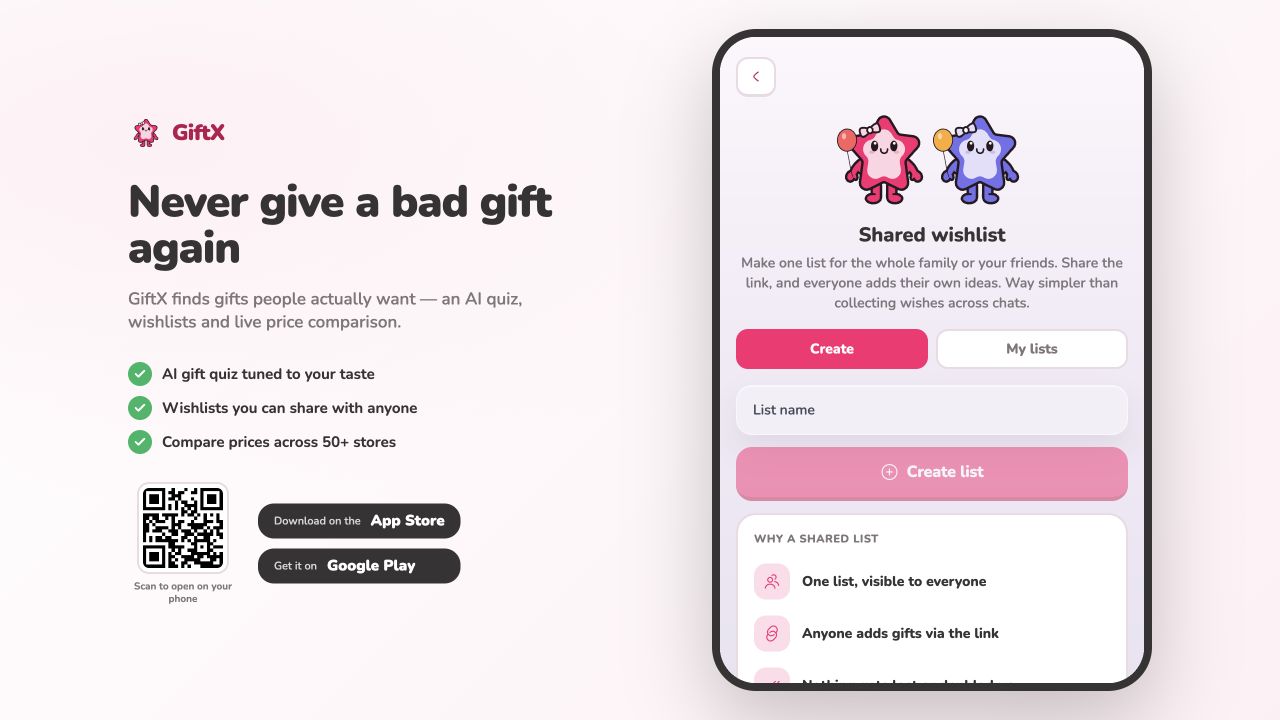
Keep the shared planning list separate from a surprise gift list. In particular, do not assume personal-list booking behavior is present in the separate shared-list feature. For sensitive preferences, decide who should receive the link; link access is a different arrangement from a private invitation with individually controlled permissions.
A shared spreadsheet for a small household shortlist
If you only need to decide between three kitchen items, a spreadsheet can be enough. Give the partners editing access and write the item, constraints, preferred version, and decision in separate columns. You can see what remains undecided without turning a suggestion into a request for relatives.
The tradeoff is coordination. A plain sheet does not automatically give you recipient-hidden gift claims or a specialized reservation flow. Use it for deciding what belongs on the final list, then choose a suitable shopping route if many people will buy gifts.
A worked household decision
For Alex and Sam's kitchen scale, the first suggestion is “something compact.” Sam measures the available shelf; Alex wants an easy-to-read display. They agree that the scale must fit their space and can be any color. Those are illustrative preferences, not specifications of a recommended product.
| Stage | Record | Who acts next? |
|---|---|---|
| Suggestion | Compact kitchen scale; display should be readable | Either partner can suggest a candidate |
| Constraint | Maximum footprint agreed after measuring the shelf | Both check the candidate's dimensions |
| Final request | Exact model and link; other models require a quick check | Nominated editor updates the shopping list |
| Gift claim | One relative intends to buy the agreed version | That giver records the claim before shopping |
| Changed plan | The candidate is unavailable | Partners approve an alternative; giver updates the claim |
This separates adding an idea from approving a household purchase. It also avoids asking a relative to interpret two competing versions. Download the couples decision worksheet to record the agreed request, or use the fields inside your chosen tool.
For furniture, appliances, or replacement parts, use our measurements and compatibility checklist. “We both like it” is not enough if it will not fit.
Check four actions on both phones
Before relatives receive the list, ask each partner to open it on their own device, add an ordinary suggestion where allowed, identify who maintains the final request, and check what a gift giver must do to claim it. Do not infer Android support from an iPhone screenshot or independent editing from a share button.
For a surprise, check the recipient's actual view. For a household request, decide how to record gifts bought somewhere other than the original link. Our claim-versus-purchase guide covers those handoffs. The privacy guide explains why a shareable link and a private list require different checks.
Choose the app after agreeing on list ownership. Two personal wishlists protect individual preferences; a household shortlist collects joint decisions. Keeping those roles clear is more useful than declaring one tool best for every couple.